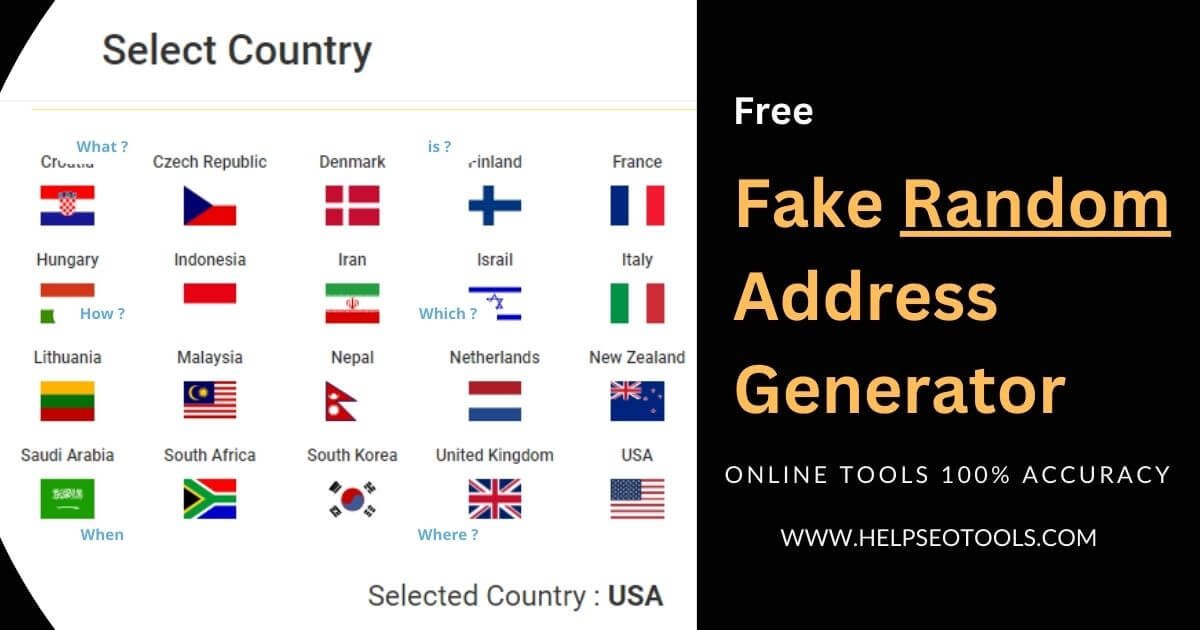
In today's fast-paced digital landscape, developing and testing applications requires vast amounts of data. But here’s the rub: using actual customer data, even for internal testing, is a minefield of privacy regulations and potential security breaches. This is where the Fundamentals of Fake Address Generation become not just helpful, but absolutely indispensable. Instead of wrestling with sensitive real information, developers, QA engineers, and data analysts can leverage sophisticated AI-powered tools to create realistic, verifiable, yet completely artificial location data. These addresses are purpose-built for testing—they don't belong to real people or places, ensuring your development processes remain private, compliant, and secure.
This isn't about creating nonsense; it's about crafting believable, context-aware data that behaves just like real data would, without any of the inherent risks. Think of it as creating a high-fidelity simulation of reality for your software to play in, keeping sensitive information safely locked away.
At a Glance: Key Takeaways on Fake Address Generation
- Secure Testing: Fake addresses enable robust system testing without compromising real user privacy or violating data protection laws.
- Realistic & Verifiable: AI-powered tools generate addresses that look authentic, follow real-world formatting, and even integrate valid postal codes.
- Global Reach: Generate addresses tailored to specific countries, adapting to local conventions and postal standards.
- Highly Customizable: Fine-tune details like city, state, street names, and even specify residential or commercial types.
- Bulk Efficiency: Quickly produce thousands of unique addresses for large-scale data population and database testing.
- Strictly for Test Environments: These addresses are never for real deliveries, official documents, or live production systems.
- Easy Integration: Export data in various formats or integrate directly via APIs into your existing workflows.
Why Real-World Data Is a No-Go for Testing: The Privacy Imperative
Imagine you’re building the next great e-commerce platform or a sophisticated CRM system. Both require addresses: shipping addresses, billing addresses, customer locations. Naturally, your instinct might be to use anonymized subsets of real customer data or perhaps even mock data you've manually entered. However, this approach carries significant hidden dangers.
Any data that can be used to identify an individual—like a residential address—is considered Personally Identifiable Information (PII). Regulations such as GDPR in Europe, CCPA in California, and HIPAA for healthcare data impose stringent rules on how PII is collected, stored, processed, and, crucially, protected. A data breach involving real customer addresses, even in a test environment, could lead to monumental fines, severe reputational damage, and a complete loss of user trust.
Even "anonymized" real data can sometimes be re-identified through sophisticated techniques. This leaves a persistent vulnerability. The solution isn't to try and sanitize real data, but to sidestep it entirely. This is where intelligently generated fake addresses step in, offering a zero-risk alternative that satisfies the technical requirements of testing without the legal and ethical headaches.
Demystifying the Magic: How Fake Address Generators Work
At their core, fake address generators are AI-powered tools designed to construct plausible, artificial location data. They don't pull addresses from real databases; instead, they synthesize them based on patterns, rules, and geographic logic. Think of them as sophisticated language models, but for addresses.
These tools instantly create a complete set of location details: street names, house numbers, apartment or suite numbers, cities, states, and ZIP codes. They can even generate international address formats, adapting to the nuances of postal systems across different countries. The key here is "artificial" and "verifiable"—the addresses look real, they conform to real-world structures, but they do not correspond to any actual physical location or individual.
Their primary purpose is to serve as robust, disposable data for:
- System Development: Populating databases, configuring location-based services, and developing forms.
- Registration Testing: Ensuring user registration flows, address validation, and mapping features work correctly.
- Data Simulation: Creating realistic datasets for analytics, reporting, and stress testing applications.
- Web Application Testing: Validating input fields, ensuring geocoding services function, and testing UI elements that display address information.
Your Step-by-Step Guide to Generating Secure Test Addresses
Generating a fake address is remarkably straightforward, typically following a three-step process designed for both simplicity and precision.
1. Defining Your Location Parameters
The first step is to tell the generator where you want your fake address to be "located." This is crucial because address formats, postal codes, and even street naming conventions vary wildly from country to country, and often within regions.
- Target Country: Most generators support dozens of countries. Selecting a country like "United States" or "Germany" immediately tells the AI which formatting rules to follow.
- City, State, or Region: For more specific needs, you can narrow down the generation to a particular city, state (e.g., "California"), or even a broader region within a country. This ensures the generated addresses feel authentic to that locale.
- ZIP Code Ranges: If your testing requires addresses within a specific postal code area (perhaps for shipping zone calculations), you can often input a range or a specific prefix.
- Street Name Preferences: Some advanced tools even allow you to specify preferences for street names, useful if you're testing specific naming conventions or character sets.
2. Tailoring Address Details to Your Needs
Once you've set the geographical boundaries, you can refine the specifics of the addresses to match your testing scenarios.
- Residential vs. Commercial: Your application might handle these differently. You can often specify whether you need a typical home address or one suitable for a business, complete with suite numbers or building identifiers.
- Apartment Numbers & Building Details: For applications dealing with multi-unit dwellings, you can request addresses that include apartment numbers, building names, or complex details.
- Postal Codes & Phone Numbers: While ZIP codes are usually tied to the location, you might also specify inclusion of a general postal code format or even a dummy phone number that aligns with the chosen region, for comprehensive user profile testing.
- Formatting Preferences: Some generators allow you to choose how the address is structured (e.g., single line vs. multi-line, short vs. long state names) to match your application's input requirements.
3. Generating & Exporting: From Concept to Data
With your parameters set, the generator springs to life, creating unique, realistic addresses in seconds.
- Review and Verify: Before exporting, quickly review a sample of the generated addresses. Do they look realistic? Do they conform to the expected format? This quick check ensures the data is suitable for your specific testing needs.
- Export Formats: Modern generators offer a range of export options to fit your workflow. Common formats include:
- CSV (Comma Separated Values): Ideal for spreadsheets and database imports.
- JSON (JavaScript Object Notation): Perfect for web applications and API testing.
- XML (Extensible Markup Language): Another structured data format often used for data exchange.
- Plain Text: Simple copy-paste for quick needs.
- API Access: For larger enterprises or continuous integration/continuous deployment (CI/CD) pipelines, many tools provide API connectivity. This allows you to integrate address generation directly into your automated test scripts or data provisioning systems, ensuring a steady stream of fresh, unique test data on demand.
When you're ready to create robust test datasets quickly and reliably, you can access our bogus address generator to streamline your data generation process.
Beyond the Basics: Advanced Capabilities of Modern Generators
Today's fake address generators are far more sophisticated than simple randomizers. They leverage advanced algorithms and extensive real-world data patterns to offer capabilities that empower complex testing scenarios.
Global Reach & Localization
One of the most impressive features is the ability to generate location-specific addresses from dozens of countries. This isn't just about translating street names; it's about understanding and replicating country-specific address formats, postal code conventions, and local geographic relationships. An address generated for Japan will look authentically Japanese, while one for Brazil will follow its unique structure, all with AI-driven accuracy. This capability is invaluable for international businesses testing localized versions of their software.
Bulk Generation for Scale
Imagine manually entering hundreds or thousands of unique addresses for database stress testing or populating a new CRM with dummy clients. It’s a time sink. Modern generators can efficiently produce multiple unique addresses in seconds. This bulk generation capability is a game-changer for large-scale data requirements, software development projects, and performance testing where a vast, diverse dataset is essential.
Granular Customization
Beyond simply choosing a country, you can fine-tune generation with remarkable precision. Specify particular cities, states, or even regions within a country. Need addresses only on "Main Street" or "Elm Avenue"? Some tools allow you to input street name preferences. This level of customization ensures the generated data aligns perfectly with the very specific scenarios your application needs to handle.
Unwavering Realism
The goal isn't just an address, but a believable one. These tools excel at producing context-aware address combinations. They integrate real-sounding street names with valid postal codes and even mimic authentic geographic relationships. For instance, an address generated for a specific city will have a ZIP code that genuinely falls within that city's boundaries, making the data feel incredibly authentic without being real. This realism is critical for testing address validation logic, geocoding services, and user experience where an unrealistic address could break the immersion of testing.
Seamless Integration
The utility of a fake address generator extends beyond a simple web interface. The ability to easily export generated addresses in multiple formats (CSV, JSON, XML) facilitates immediate use in various tools and environments. Furthermore, robust API access allows developers to seamlessly integrate address generation directly into their development and testing workflows. This means automated scripts can call the API to fetch fresh test data, ensuring that your test environments are always populated with up-to-date, unique, and privacy-compliant information.
What Kind of "Fake" Can You Create? A Menu of Address Types
The versatility of fake address generators means you're not limited to just one type of location. They can create a diverse range of addresses to suit almost any testing scenario:
- Complete Residential Addresses: The most common type, including street names, house numbers, cities, states, and ZIP codes. Perfect for simulating customer profiles and standard deliveries.
- Business Location Details: For testing B2B applications, generators can produce addresses complete with suite numbers, building identifiers, and appropriate street names that suggest a commercial zone.
- International Address Formats: Crucial for global applications, these addresses adapt to country-specific formats, language conventions, and local postal codes, from postal codes in the UK to prefectures in Japan.
- Apartment Complex Information: For systems handling multi-dwelling units, these addresses will include realistic apartment numbers and building details, essential for testing complex addressing logic.
- PO Box Addresses: Ideal for testing scenarios involving post office box registrations or mail handling, these include the specific PO Box numbering.
- Rural Route Addresses: For applications that need to account for less conventional addressing systems, generators can produce rural route addresses, often found in less densely populated areas.
This broad spectrum ensures that whatever your application's geographical needs, there's a fake address type to match, providing comprehensive testing coverage.
The Golden Rules: Safe and Ethical Use of Generated Addresses
While incredibly powerful, the utility of fake address generators comes with a critical caveat: they are tools exclusively for test environments. Misusing them can have serious consequences. Adhering to these golden rules is paramount:
For Testing ONLY: System Registrations, CRMs, Forms, Fictional E-commerce Sites
Generated addresses are designed to fill a void in your development and QA pipelines. Use them confidently for:
- System Registrations: Testing user sign-up flows for websites and apps.
- CRM Data Population: Simulating customer entries in a Customer Relationship Management system.
- Form Validation: Ensuring all address fields in your web forms accept and process data correctly.
- Fictional E-commerce Sites: Testing checkout processes, shipping calculations, and inventory management on a dummy store.
- Database Seeding: Populating new or refreshed databases with placeholder location data.
NEVER for Real-World Use: Deliveries, Official Documents, Production Environments
This is the most important rule. Fake addresses must never be used for:
- Real Deliveries: Attempting to ship a package to a generated address will result in failure, potential legal issues, and wastes resources.
- Official Documents: Do not use them for government forms, banking applications, utility registrations, or any legal paperwork. This constitutes fraud.
- Production Environments: Never inject fake addresses into a live system that interacts with real customers or services. This can corrupt real data, break services, and lead to massive operational issues.
Privacy by Design: No Real Data Used or Stored
A key principle of reputable fake address generators is their commitment to privacy and security. They:
- Use No Real Data: The generation process relies on algorithms and patterns, not by scraping or accessing real personal data.
- Store Nothing: Many advanced generators operate directly in your browser, meaning no data is transmitted to or stored on their servers, providing an extra layer of security and peace of mind.
- Prioritize Security: The entire process is designed to be secure and private, ensuring that your test data remains isolated from any real-world connections.
Commercial Use, But Respect Terms of Use
Most fake address generation tools are free to use, and often permit commercial use (i.e., for your business's testing needs). However, it's always wise to briefly review the specific Terms of Use for any tool you choose. This ensures you're operating within their guidelines, especially if you plan to integrate their APIs into your commercial products.
Combining with Other Generators for Full Simulations
The power of fake address generation can be amplified when combined with other test data generators. Need a full dummy customer profile? Pair your fake address with:
- Fake Name Generators: To create realistic user names.
- Fake CPF/SSN Generators: (For relevant regions) to simulate national identification numbers for form validation.
- Fake Phone Number/Email Generators: To complete contact details.
This integrated approach allows for the creation of incredibly robust and comprehensive test datasets, mimicking entire user profiles without ever touching sensitive real-world information.
Common Questions & Misconceptions About Fake Addresses
Let's clear up some common queries and misunderstandings that often arise when discussing fake address generation.
Are these addresses linked to real people?
Absolutely not. Reputable fake address generators specifically ensure that the addresses they create do not correspond to any real individuals, properties, or existing records. They are synthetically generated.
Can I use them for actual mail or package deliveries?
No, under no circumstances. These addresses are purely for software testing and simulation. Attempting to send mail or packages to them will fail and could cause issues for postal services or courier companies. They are not intended to be physically navigable.
How "real" do they look?
They look incredibly real. Modern generators are designed to mimic the exact formats, street naming conventions, postal codes, and even the general geographical logic of actual addresses in a chosen region or country. This realism is essential for effective testing of address validation and user experience.
Are these tools free to use?
Many high-quality fake address generators are available for free, with some offering premium features or higher generation limits for paid subscriptions. Even the free versions typically provide ample functionality for most testing needs.
Is it legal to generate fake addresses?
Yes, generating fake addresses for legitimate testing, development, and data simulation purposes is entirely legal. The legality only becomes an issue if these addresses are used for fraudulent activities, to deceive, or to misrepresent information for real-world transactions. As long as they remain in a controlled test environment, you are operating within legal bounds.
Empowering Your Development: Taking the Next Step with Secure Test Data
The journey through the fundamentals of fake address generation reveals a powerful and ethical solution to a critical development challenge. You've seen why using real data is a non-starter, understood the mechanics behind generating realistic artificial addresses, and explored the advanced capabilities that make these tools indispensable. More importantly, you're now equipped with the golden rules for safe and responsible usage, ensuring your projects remain compliant and secure.
By embracing fake address generation, you're not just safeguarding sensitive information; you're also significantly streamlining your testing workflows. Imagine speeding up development cycles, catching bugs related to address handling earlier, and deploying with greater confidence—all without the lurking threat of a data breach. This is about building better software, faster, and more securely.
The next step is to integrate these practices into your own development lifecycle. Explore the various generators available, experiment with their customization options, and start populating your test environments with the robust, realistic, and privacy-preserving data they deserve. The future of secure and efficient software development lies in smart data practices, and fake address generation is a cornerstone of that future.